





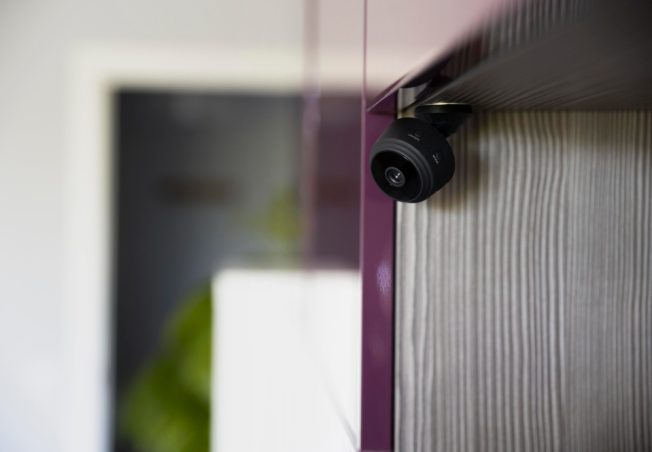
Last year I helped a neighbor after two packages vanished from her porch. She had a camera. It “worked.” Yet the video was just the top of a hoodie and a bright white glare from the afternoon sun. She looked at me and said, “So… what now?” I felt that. Cameras can make you feel safe, then you see the footage and you still have no idea who it was. The good news: most of that comes down to where you put them, not the brand.
If you want help, call a local handyman who has done real installs and made real mistakes already.
Start With the Spots That Matter
If you only do one camera, do the front door. Most problems start there. After that, think like someone who does not live in your house.
Here are the best “first wave” spots:
- Front door / porch (faces and packages)
- Driveway (cars, garage, plate view)
- Side gate (the sneaky path)
- Back door or slider (patio and dog door area)
- Backyard (pool, shed, fence line)
In practice, we noticed the side gate is the spot people forget most. I forget it too. Then I get the call that starts with, “This is weird, but…”
My Simple Rule: Face First, Not the Top of a Head
I used to mount cameras too high. I thought higher meant safer. Wrong. Too high gives you bald spots and hat brims. Too low makes it easy to grab.
A solid target is 8 to 10 feet up, under the eave if you have one. It is high enough to protect the camera and low enough to catch faces.
“If you can see a face, you can stop guessing.”
Put Cameras on Corners When You Can
Corners are magic. One camera can watch two sides.
- Front corner: porch + driveway
- Back corner: patio door + yard
- Garage corner: driveway + side yard
Real example: a home in Irvine had one camera over the garage pointed straight out. It caught cars, then missed every face on the porch. We moved it to the corner and aimed it across the walkway. Same camera. Way better proof.
Watch Out for Sun Glare
Orange County sun can wash out video fast. So, aim away from the setting sun, mount under shade when possible, and tilt slightly down so you catch faces, not the sky.
Make WiFi the Boss Without Problems
A camera in the perfect spot is useless if the signal drops. Before you drill, do this simple test:
- Stand where you want the camera
- Check your phone WiFi bars
- Load a short video or run a speed test
If it stutters, the camera may stutter too. I still get doubts on tough houses. Stucco, long side yards, lots of walls. If you feel unsure, that is normal.
Outdoor Tips for Hot California Weather
Yes, WiFi cameras can live outside. Yet heat and sprinklers can ruin a “good plan.”
What I do on installs:
- Mount under an eave to cut sun and rain
- Avoid spots where sprinklers hit the lens
- Use a small bead of silicone around the top edge of the mount
- Leave a tiny drip loop on the cable so water does not run inside
Also, check night vision. Walk your own yard at night. Are there bright lights that blow out the view? Are there dark corners that need a small motion light?
A quick setup checklist before you drill:
- Tape the camera up first and test the view
- Do a “walk test” so you see what motion picks up
- Make sure the lens sees faces at the door
- Confirm WiFi is strong at that spot
- Think about privacy so you do not aim into a neighbor’s window
Wrap-Up: Make It Simple, Then Make It Solid
You do not need ten cameras. You need a few cameras in smart places. Start with the front door and driveway. Add the side gate and back door next. Keep them at face height, avoid sun glare, and test WiFi before you mount.
If you want the full setup, mount, and phone connection done without stress, reach out to our WiFi cameras handyman team at Fixi. Submit a request or contact us today and we’ll get your home covered.